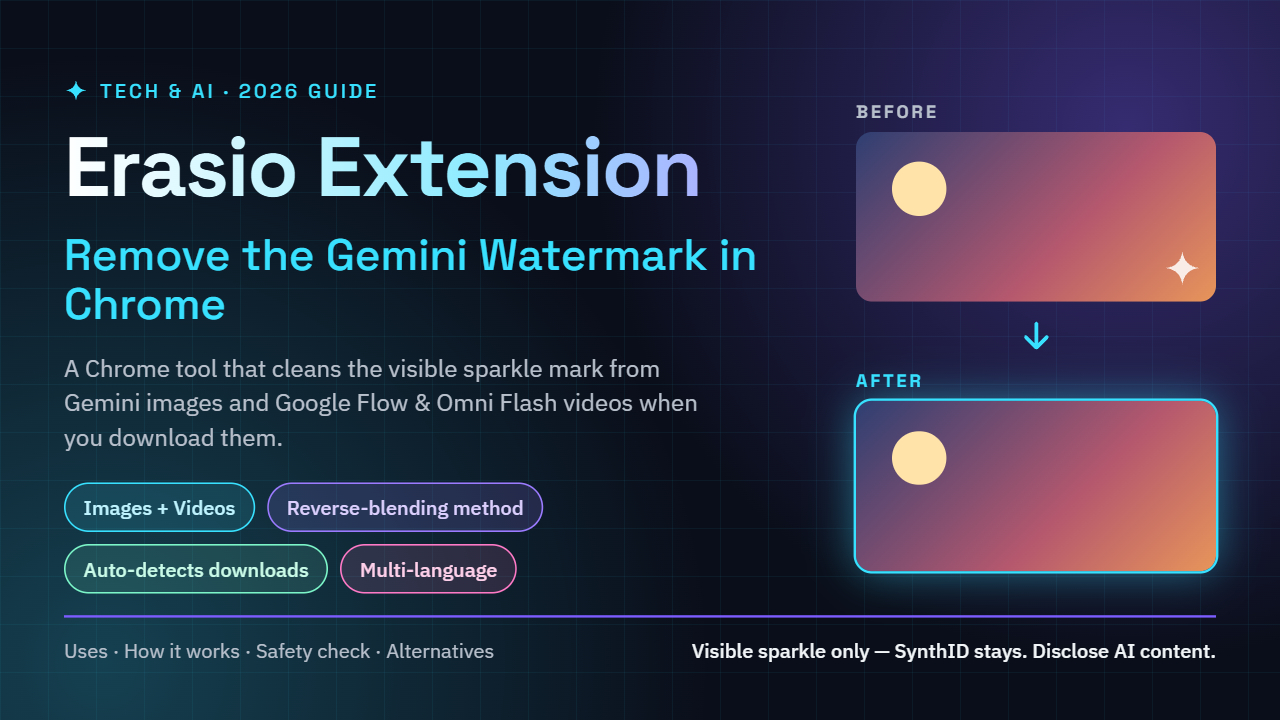
If you create content with Google’s AI tools, you have probably noticed the small sparkle mark in the corner of your Gemini images. It is harmless, but it can get in the way when you want a clean thumbnail, a polished reel cover or a product mockup. That is where the Erasio extension comes in. In this guide, you will learn what Erasio is, how it works, where it helps, how to use it step by step, and what to check before you install it.
What Is the Erasio Extension for Gemini Watermark Removal?
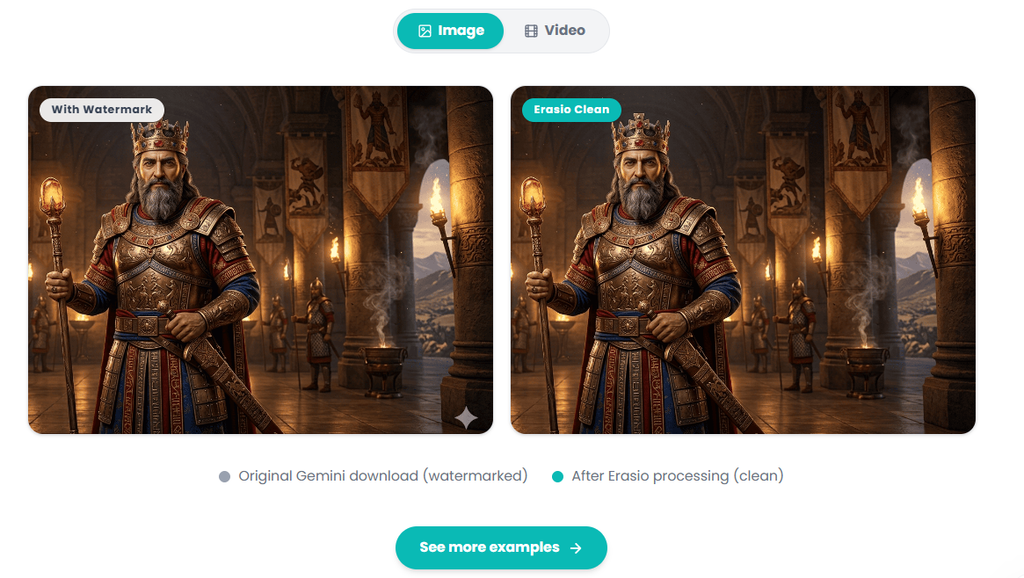
Erasio Chrome Extension Overview
Erasio is a Chrome browser extension built to remove the visible sparkle watermark from supported AI-generated images and videos. Everything happens inside your browser, so you do not need Photoshop, Canva or any other editing software just to clean up a file. At the time of writing, its Chrome listing showed version 1.0.2, a very small download size and a few thousand users, which tells you it is a lightweight tool that is still growing.
The idea is simple. You generate your media, download it, and Erasio processes the file so the visible mark is gone, without you doing manual retouching.
Supported Gemini, Google Flow and Omni Flash Media
Erasio is not limited to still images. It also supports videos, including media made through Google Flow and Omni Flash based workflows. When you open a supported page, the extension can detect downloadable media and process it before it is saved to your device. That saves time, because you skip the extra step of uploading a file to a separate website.
How Does the Erasio Gemini Watermark Remover Work?
Reverse-Blending vs AI Inpainting Explained
Most watermark removers use AI inpainting. They erase the marked area and then guess what the missing pixels should look like. This works, but the guessed area can look slightly blurry or unnatural, especially on detailed backgrounds.
Erasio takes a different route. According to its listing, it uses a reverse-blending reconstruction method. Think of the watermark as a semi-transparent sticker placed on top of the image. Because the sticker is see-through, the original pixels are still underneath, just mixed with the sticker’s color. If you know how the sticker was blended in, you can calculate the original pixels and restore them, instead of inventing new ones. That is the core idea behind reverse blending, and it is why this approach can keep the rest of the image untouched.
Why It Removes Only the Visible Sparkle Watermark
It is important to understand what Erasio does not do. It targets the visible overlay only. It is not designed to strip invisible signals such as embedded metadata or digital signatures like SynthID, and similar tools state this clearly in their own disclaimers. We will come back to why this matters in the responsible use section.
Key Features of the Erasio Extension
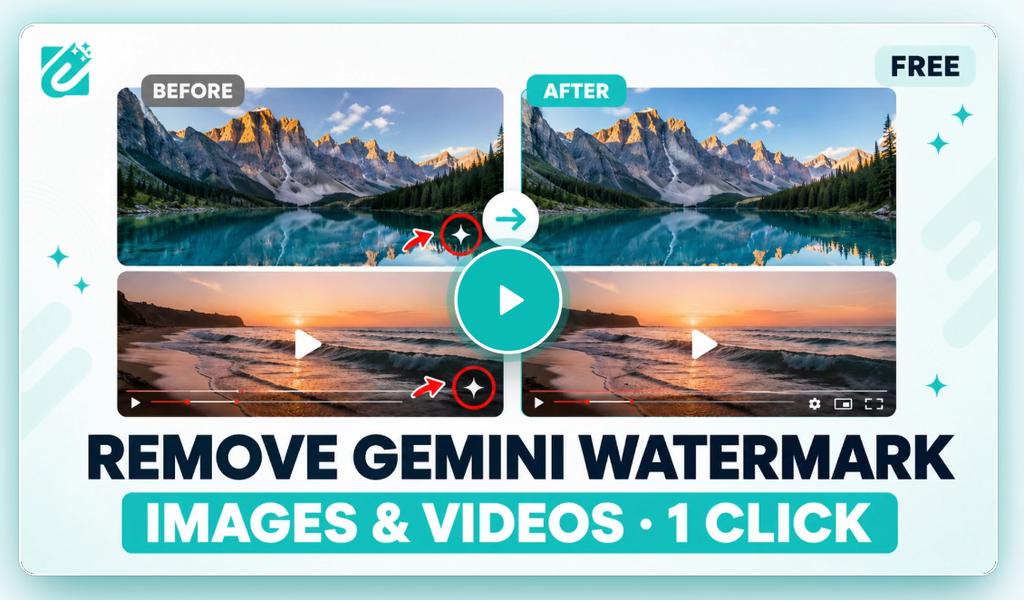
Image and Video Watermark Remover
Many free watermark tools handle images only. Erasio covers both images and videos, which is useful if you make short clips for reels or YouTube Shorts using Google’s AI video tools.
Auto-Detect Downloads in Your Browser
On supported pages, Erasio can spot downloadable media on its own and process it before saving. In practice this means you work the way you normally do: generate, click download, and receive the cleaned file.
Multi-Language Support
The extension supports several languages, including right-to-left layouts for Arabic and Urdu. For creators who work with global or regional audiences, this makes the interface easier to use.
Bulk Processing on the Erasio Web Platform
If you need to clean many files at once, the Erasio web platform offers bulk processing and extra export features beyond what the browser extension does on its own. Check the official site for current plans and limits before you rely on it for large batches.
Top Uses of the Erasio Extension for Content Creators
Clean Gemini Images for YouTube Thumbnails
Thumbnails need to look sharp and distraction free. A leftover sparkle in the corner can look unfinished, so removing it gives your image a cleaner, more professional finish.
Gemini Visuals for Instagram Reels and Carousels
Instagram creators often use AI images as backgrounds, cover frames and carousel slides. Clean visuals help your page look consistent, especially when you post every day.
Banners and Mockups for Affiliate Marketing
If you promote products through a blog, Telegram channel or social pages, you may use AI-made banners, hero images and mockups. A watermark-free file looks better on landing pages and deal posts.
Presentations and Client Drafts
For slide decks, pitch drafts and concept boards, clean images keep the focus on your message instead of the tool that made the picture.
How to Install and Use Erasio Extension (Step-by-Step)
How to Install Erasio from the Chrome Web Store
- Open the Chrome Web Store and search for Erasio (look for the Gemini watermark remover listing).
- Check the publisher name, reviews, version and requested permissions.
- Click Add to Chrome and confirm.
- Pin the extension to your toolbar so you can reach its settings quickly.
How to Remove the Gemini Watermark from an Image
Step 1: Generate Your Image in Gemini
Create your image on a supported Google AI page. Pick the best result and keep the original resolution.
Step 2: Download with Erasio Active
Make sure Erasio is enabled, then use the normal download option on the page. The extension detects the media and processes it before saving.
Step 3: Compare Before and After
Open the processed file and zoom into the corner. Check for any leftover edges or color differences. If you have an untouched original, compare the two side by side. Always test a few images first before you clean a large batch.
How to Remove Watermarks from Gemini Videos
For video, open a supported Google Flow or Omni Flash page, generate your clip and download it with the extension active. Play the finished video fully, because corners and edges are easy to miss on a quick preview.
Erasio Extension Pros and Cons
Advantages of Erasio
- Works inside Chrome with no separate editing software
- Handles both images and videos
- Uses reverse blending to restore original pixels instead of guessing them
- Detects downloadable media automatically on supported pages
- Multi-language interface, including right-to-left languages
- Lightweight and quick to set up
Limitations to Know
- Works only on supported tools and overlays, so it may fail if the watermark style changes
- Removes the visible mark only, not invisible signatures
- Bulk and advanced export features sit on a separate web platform
- It is a relatively new extension with a small user base compared to big-name tools
Is the Erasio Extension Safe to Use?
Permissions and Publisher Checks Before Installing
Any extension that reads or changes web pages deserves a quick safety check. Before installing Erasio, or any similar tool, review the permissions it asks for, read recent user reviews, look at the publisher details and check when it was last updated. At the time of writing, the listing noted that the extension had not yet been security-scanned, so a little caution is wise. Use a separate Chrome profile if you want to keep your main browsing and logged-in accounts isolated.
Independent Tool, Not Affiliated with Google
Erasio states that it is an independent tool and is not affiliated with or endorsed by Google. Gemini, Google AI Studio and Google Flow are Google trademarks. Because it is a third-party tool, features can stop working if Google changes how its watermarks are applied.
Responsible Use of Gemini Watermark Removers
SynthID and Invisible Watermarks Stay in Place
Removing the visible sparkle does not make an image “not AI”. Invisible signals such as SynthID are separate and, as similar extensions point out, are not affected by visible overlay removers. Treat the cleaned image as what it is: AI-generated content.
Why You Should Disclose AI-Generated Content
Platforms like YouTube and Instagram have rules and labels for AI-generated or altered media, and audiences increasingly expect honesty. Use watermark removal for clean design, not to pass AI visuals off as real photos or footage, and never to mislead people. Also respect the terms of the tools you use and the rights of anyone shown in your media. Disclosing AI use protects your channel, keeps your brand trustworthy and keeps you on the right side of platform policies.
Erasio Alternatives for Removing Gemini Watermarks
Erasio is not the only option. Other free extensions take different technical routes.
Browser-Based LaMa Inpainting Extensions
Some open-source extensions run the LaMa inpainting model locally in your browser. They fill in the watermark area using AI, and they work with files you drag in manually. They can be a good fit if you prefer an open-source tool you can inspect yourself, though inpainting may alter fine details around the area.
On-Device Reverse Alpha Blending Extensions
Other extensions also use reverse alpha blending and process images fully on your device, with drag-and-drop support for JPG, PNG and WebP. These are mostly aimed at still images, so Erasio’s video support is a real point of difference if you work with clips.
Erasio Extension FAQs
Is Erasio free to use?
The Chrome extension is available from the Chrome Web Store, but bulk processing and extra export features are offered through the Erasio web platform. Check the official listing for the latest pricing and limits.
Does Erasio remove SynthID?
No. Erasio is built to remove the visible sparkle watermark only. Invisible metadata and signatures such as SynthID are a separate matter and are not what this kind of tool targets.
Does the Gemini watermark remover work on videos?
Yes, Erasio supports videos as well as images, including media made through Google Flow and Omni Flash based workflows. Always preview the full clip after processing.
Is Erasio safe for Chrome?
It is an independent extension that had not been security-scanned at the time of writing. Review its permissions, reviews and publisher information, and consider using a separate Chrome profile for extra safety.
Final Verdict: Should You Use Erasio?
The Erasio extension is a practical, lightweight tool for creators who want clean Gemini images and videos without opening a heavy editor. Its reverse-blending approach, video support and automatic download detection make it stand out from simple inpainting tools. The trade-offs are that it is third-party, relatively new, limited to supported overlays and not a replacement for honest AI disclosure.
If you make thumbnails, reels, banners or presentations with Google’s AI tools, Erasio is worth testing on a few files first. Install it from the official Chrome Web Store listing, check its permissions, compare the results with your originals and always label AI content properly.
Tags: Erasio extension, Gemini watermark remover, remove Gemini watermark, Chrome extension, AI image tools, Gemini AI, Google Flow, AI video watermark remover, Tech and AI, content creator tools
Digital marketer from Hyderabad. Writing about Telugu cartoons, Ai and tech news at kumar4.in.